Lesson Plans Using Storybird Online
https://storybird.com/teachers/
https://storybird.com/books/the-princess-and-the-evil-sandwich/?token=jnpqxpqtqb\
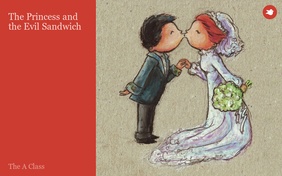
Fairy Tale Unit including: point of view, twisted tales, and
elements of the genre.
Reading Expectations:
·
recognize a variety of text forms, text
features, and stylistic elements and demonstrate understanding of how they help
communicate meaning;
·
·
1.9 identify, initially with support and
direction, the speaker and the point of view presented in a text and suggest
one or two possible alternative perspectives
·
2.1 identify and describe the characteristics of
a few simple text forms, with a focus on literary texts such as a fairy tale
Writing Expectations:
·
generate, gather, and organize ideas and
information to write for an intended purpose and audience;
·
draft and
revise their writing, using a variety of informational, literary
·
generate ideas about a potential topic, using a
variety of strategies and resources
·
identify elements of their writing that need
improvement, using feedback from the teacher and peers, with a focus on content
and word choice
Media Literacy Expectations:
·
create a variety of media texts for different
purposes and audiences, using appropriate forms, conventions, and techniques
·
identify, initially with support and direction,
whose point of view (e.g., that of the hero, the villain, the narrator) is
presented in a simple media text and suggest how the text might change if a different
point of view were used
·
produce media texts for specific purposes and
audiences, using a few simple media forms and appropriate conventions and
techniques (a story illustrated with diagrams and digital images)
Students are to create their own fairy tale using Storybird
on line. The class will create a shared story using the website and LCD in the
classroom and then create independent stories during their time in the computer
lab.
Storybird provides frameworks/templates for creating stories
on line along with an extensive art library to choose from to illustrate the
text. This type of program allows
students to choose their artwork prior to writing if they desire, and therefore
provides inspiration and assistance in starting stories for hesitant
writers. All creations in the virtual
classroom must be reviewed by the teacher before the can be published and
viewed by the remainder of the class.
Students can obtain access to their account while at home if they have
access to a computer and the internet.
Teacher
·
set up virtual class list in Storybird and print
of username/password cards
·
investigation of site features
Introduction of Lessons:
·
Students have been introduced to the genre of
Fairy Tales through modelled, shared and independent readings in class. Discussions have included elements of a fairy
tale that are unique to the genre as well as who is telling the story (narrator
vs character).
·
The first period in the computer lab students
are introduced to the website Story Bird and given their usernames. Students are required to set their own
password and record it on their username card.
Review the privacy of passwords (keeping it to themselves, other that
informing the teacher) and the importance of using a word that is easy for them
to remember (so they can have access to the account). Students are encouraged to explore the site
and see what they can learn on their own.
No formal instruction is given at this time as it is preferred that the
students see what they can figure out independently.
Continuance of Lessons:
·
The study of Fairy Tales continues with students
reading and providing responses to a variety of versions of different Fairy
Tales. Some students are making use of
Tumblebooks and ebooks as well as the hard copy texts in the classroom. This ensures appropriately levelled texts and
accessible resources are available to all students.
·
Using the LCD projector and laptop, students
view Storybird on the screen/whiteboard.
They are encouraged to lead the lesson by explaining to the teacher and
their classmates what they have discovered about the website. As a group, explore the art gallery. Discuss how the images chosen will set the
mood and tone of the story that will be created.
·
The shared writing will incorporate the three
story choses made during the introduction to Fairy Tales from Nelson
Literacy. These include the main character,
setting and problem. Students will pick
the set of illustrations they think suit the Nelson choices best and begin to
create the Story Bird Fairy Tale as a class.
This will be an interactive lesson where the students will show the
teacher how to navigate through the pictures and begin the first page or two of
the story. Students will learn/teach how to save the work.
·
Students will use a graphic organizer to
brainstorm thoughts about the Fairy Tale they will be independently creating.
Next Computer Lab Session:
·
Before going to the lab, expectations for use of
Storybird and the creation of a Fairy Tale will be discussed. A task assignment will also be available to
the students when they log into the site. They will use the picture book format
when creating their story.
·
Students are required to create a Fairy Tale
that features at least three elements of the genre that have been discussed in
class (Examples: appropriate setting, evil character, royalty, the number three
or seven, magic, talking animals) The
story must also include a problem and a solution. It is estimated that the Fairy Tale will take
at least 8-10 pages in order to fulfill the expectations. Students will be given three or four computer
lab periods to create, edit, revise and publish their Fairy Tale (timeline will
be monitored and adjusted as required).
·
During this period in the lab students will
choose the gallery from which they wish to select their illustrations. Although they could work with a variety of
galleries it is preferred they stick to one in order to maintain consistency
and limit the time browsing each time they are ready to create a new page.
·
Once they are ready they can begin creating
their story using the graphic organizer they worked on in class.
In the classroom:
·
Shared Writing Continued: The class will
continue to create the shared Fairy Tale, adding characters, illustrations and
creating the problem and solution. The
work will be reviewed and edited as a group.
Discuss how errors are marked with red underlines and the accessible
resources for checking spelling as there is not a spell/grammar correct feature
on this site.
Back in the lab:
·
Assist students as required as they work
independently on their Storybird creation. This is their second full session in
the lab so they should be making good progress on their story. All characters, including the villain, the
setting and the problem should be established by the end of this period.
·
Remind students to save and log off at the end
of the period (this is Grade Two, and yes they need to be reminded).
In the classroom:
·
Shared Writing Continued: The class will finish
creating the shared Fairy Tale making sure there is an appropriate solution to
the problem and a proper ending. The
work will be reviewed and edited as a group.
Make any necessary changes. When
the class is happy with the story and believe it is ready to publish and share,
discuss the steps required in saving and sharing the story.
https://storybird.com/books/the-princess-and-the-evil-sandwich/?token=jnpqxpqtqb
Back in the lab:
·
Assist students as required as they work
independently on their Story Bird creation. This is their third full session in
the lab so they should be making good progress on their story and hopefully be
finished d by the end of this period.
·
Have students have a peer review their Fairy
Tale and assist with any revisions. Monitor class progress to decide if another
lab period is required for students to complete their Fairy Tales. Remind
students to save and log off at the end of the period (this is Grade Two, and
yes they need to be reminded).
If another lab period is required for task completion, allow
for this, but remind students that it will be the final in school session. All stories will be saved and sent to the
teacher for review. During the following
lab period, students will be reading and reviewing their classmates Fairy Tales
and adding appropriate and meaningful comments.
In class, before reviewing stories, discuss with class what an
appropriate and meaningful review/comment looks like and create examples. The online feedback provided by students will
also be used as an assessment tool for this activity.
Encourage students to continue using Story Bird as a way to
create, experiment and express themselves while at home, or during unstructured
classroom or lab computer use periods.
|
Checklist
|
|||
|
Introduction
|
|
||
|
3
Fairy Tale Elements
|
|
|
|
|
Problem
|
|
||
|
Solution
|
|
||
|
Conclusion
|
|
||
|
Fairy Tale Expectations Rubric
|
||||
|
|
Level One
|
Level
Two
|
Level
Three
|
Level
Four
|
|
Knowledge &
Understanding
Form:
includes all required elements of the genre
Ability
to make appropriate and meaningful comments on other stories during peer
review
|
Demonstrates
limited knowledge and
understanding
|
Demonstrates
some knowledge and understanding
|
Demonstrates
considerable knowledge and
understanding
|
Demonstrates
thorough knowledge and
understanding
|
|
Thinking
Use
of planner, organization of story (it makes sense and follows a story path)
|
Uses
planning and organizational skills with limited
effectiveness (ideas out of order, jumpy, forgets parts...)
|
Uses
planning and organizational skills with some
effectiveness
|
Uses
planning and organizational skills with considerable
effectiveness
|
Uses
planning and organizational skills with a
high degree of effectiveness
|
|
Application
Transfers
knowledge of form into his/her own writing using media tool (Storybird
Website) to create a Fairy Tale and to review and comment on the stories
created by other students
|
Applies
knowledge and skills in familiar contexts with limited effectiveness
|
Applies
knowledge and skills in familiar contexts with some effectiveness
|
Applies
knowledge and skills in familiar contexts with considerable effectiveness
|
Applies
knowledge and skills in familiar contexts with a high degree of effectiveness
|
|
Communication
Word
choice conveys meaning and mood (and connects to graphics)
|
limited effectiveness
|
some effectiveness
|
considerable effectiveness
|
a high degree of effectiveness
|

Wow...this is a fantastic example of using a tool that allows not only creativity, but also collaboration. The tools and techniques in the lesson provide seamless differentiation - Universal Design, at its best. Thank you so much for sharing. - Zoe
ReplyDelete